
Start from a Paragraph
No upload needed: describe the subject, the action, the camera and the sound. This 5-second 720p shot took 100 seconds and is the source for the edit and extension below.
Input
Output
Describe a shot, animate a picture, set a first and last frame, or bring a clip to edit or extend. Wan 3.0 returns 2 to 30 seconds at 480p, 720p or 1080p with sound, for 10 to 40 credits a second.
Requests for nudity, sexual material or a real person's face or voice are declined before anything is charged. Terms of Service
Six clips, all rendered by Wan 3.0 for Wan3AI from our own pictures and our own footage. Open one to load its prompt, uploads and settings into the generator.
Six jobs, six real runs
Your attachments choose the job: none for text to video, one picture to animate it, two for a first and last frame, several for references, and a clip to edit or extend. Every panel shows the real input next to the real result.
No upload needed: describe the subject, the action, the camera and the sound. This 5-second 720p shot took 100 seconds and is the source for the edit and extension below.
Input
Output
Your picture becomes the opening frame and sets the shape. Say what moves and how the camera follows; this crane took 64 seconds at 480p.
Input

Output
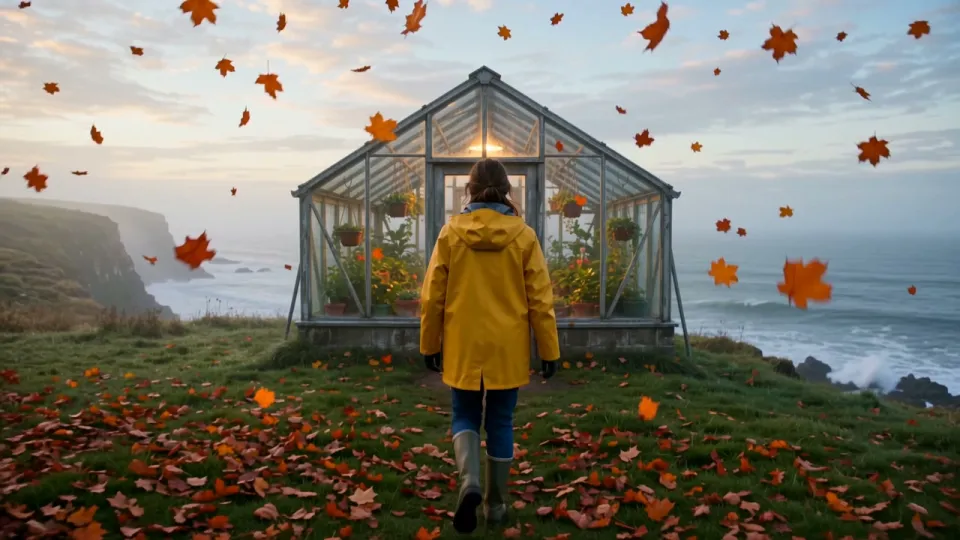
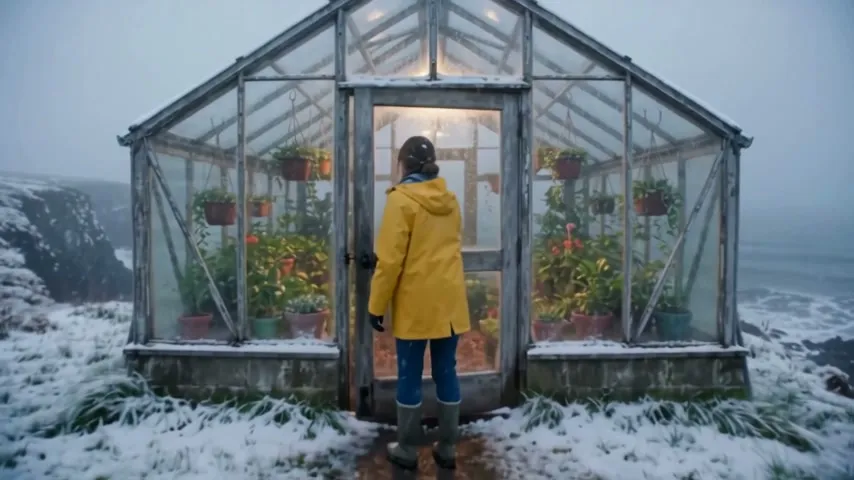
Attach two pictures and choose First & last frame. Wan 3.0 fills the time between them: the first frame of the greenhouse shot to the last frame of its snowy edit.
Input
Output
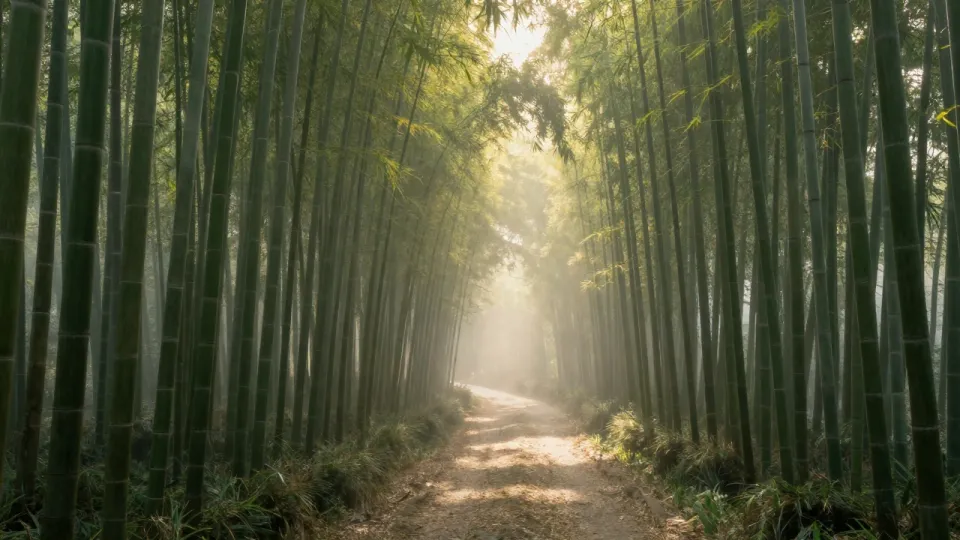
Up to 10 pictures: a character, an object, a place. Call them Image 1, Image 2 in the prompt and Wan 3.0 puts them in one scene.
Input

Output
Attach up to 15 seconds of footage and say what to change. Here the first 3 seconds of the greenhouse shot became a snowy morning with the same walk and camera move.
Input
Output
Attach a clip, choose Extend and write what comes next. The greenhouse shot gained 4 seconds inside the glass; only those 4 seconds were billed.
Input
Output
Use cases
Each clip was made by Wan 3.0 for this page. The button loads its prompt and, where there was one, its upload.
An opening shot, a reveal or a product moment with its own sound, from one paragraph. Shoot drafts at 480p for 10 credits a second, then render the keeper at 720p or 1080p.
Shot the scene already? Keep the framing and the camera move and change the season, the weather or the props. An edit reads up to 15 seconds of your footage and bills it with the new seconds: this 3-second snow pass at 480p cost 60 credits.
Upload a product or a character and a place, then name them Image 1 and Image 2 in the prompt. Wan 3.0 takes up to 10 pictures, so a mascot can keep its shape across a whole series.
Who or what, what happens, where the camera goes and what we hear. Attach a picture, two frames, reference pictures, a sound file or a clip if you have one.
2 to 30 seconds, 480p to try ideas or 720p and 1080p to keep, and a shape from 16:9 to 9:16. With a clip attached, choose Edit, Extend or Use as reference. The button shows the credits first.
Clips arrive in your library in one to three minutes, sound included. Change a line and run another take, or extend the one you like.
Why Wan3AI
What Wan 3.0 does well, and what this site adds so the cost is never a surprise.
Any whole length from 2 to 30 seconds at 10, 20 or 40 credits a second. Draft at 480p, then render the take you like at 1080p.
Wind, surf, rain on glass, paper wings: the soundtrack is generated with the picture. Every clip on this page has one; press the speaker to hear it.
Edit the footage you have instead of starting over, then add seconds to the end. Our 3-second edit took under three minutes and the 4-second extension 84 seconds.
The server works out the price from your settings and from the length of any clip you upload. If the model fails or declines the prompt, every credit returns to your balance.
Videos are paid for with credits. Take a pack for a single project, or a plan if you make clips every week.
Lite
For a handful of clips a month.
~$0.010 a credit
About $1.03 per clip
What you get
Pro
For people who publish video every week.
~$0.008 a credit
About $0.83 per clip
All of Lite, and
Ultra
For studios and teams producing daily.
~$0.007 a credit
About $0.69 per clip
All of Pro, and
Prices include tax where it applies.
Questions
Sign in, describe the shot and press the button. What you attach picks the job: nothing means text to video, one picture opens the clip, two pictures can be the first and last frame, more pictures or a sound file become references, and a clip can be edited, extended or used as a reference. Finished videos land in your library.
Alibaba's video model, released to the public on 24 August 2026. Alibaba says it renders up to 30 seconds at 480p, 720p or 1080p with sound made in the same pass, and the same model also edits and extends clips. It is closed: there are no open weights. Wan3AI reaches it through WaveSpeed's API.
Both are in the model menu. Wan 3.0 costs 10, 20 or 40 credits a second and goes to 1080p, 30 seconds, video editing and extension; our runs took 64 to 174 seconds. MiniMax H3 Lite costs 5 or 8 credits a second, stops at 768p and 15 seconds, cannot edit, and usually answers in under 30 seconds. Rough ideas out on H3 Lite, finish on Wan 3.0.
Up to 10 pictures, 5 video clips and 5 sound files. Reference clips may run 15 seconds in total, and clips plus the new video stay within 30 seconds. Refer to them in the prompt as Image 1, Video 1, Audio 1 in the order you uploaded them.
Not for video. A new account gets 10 credits, enough for two pictures in the Image tab. The shortest Wan 3.0 clip, 2 seconds at 480p, costs 20 credits, so video starts with a credit pack or a plan.
Yes, on every clip. Describe what should be heard (wind, footsteps, a door, music) and it is generated with the picture. When you extend a clip, its original sound is kept and the new seconds get their own. Lip sync on speech is uneven, so check dialogue before you publish.
Yes. Attach a clip, keep Edit selected and say what to change: the season, the weather, an object, the style. The first 15 seconds are read. You pay for the seconds read plus the seconds made, so a 3-second clip edited into 3 new seconds at 480p costs 60 credits. Reference pictures can guide the edit.
Attach a clip, choose Extend and write what happens next. Wan 3.0 continues from the last frame and returns your clip with 2 to 30 new seconds added. Only the new seconds are billed; a source longer than 120 seconds is cut to its last 120.
Mostly, with known habits. Reviewers and our own runs saw it cut to a new angle nobody asked for (our greenhouse clip does this in its last second), drift on busy scenes, and sync lips loosely. Short prompts with one action per shot hold together best. Failed or refused runs are refunded automatically.
10 credits a second at 480p, 20 at 720p and 40 at 1080p, rounded up to the whole second. A 5-second 720p clip is 100 credits; 30 seconds at 1080p is 1,200. First and last frames, reference pictures and sound files add nothing. Reference clips and edited footage are billed by their length at the same rate; an extension bills only the new seconds. The button shows the total before you start.
Any whole number of seconds from 2 to 30 (an edit returns 2 to 15), at 480p, 720p or 1080p, in 16:9, 9:16, 4:3, 3:4 or 1:1. A clip that starts from your picture follows that picture's proportions, and an edit or extension keeps the shape of your footage.
That depends on Alibaba's and WaveSpeed's current terms, which we cannot interpret for you. Read them before client work, and keep real people's faces, other companies' logos and material you don't own out of prompts and uploads.
No. Wan3AI is an independent site that sends your requests to Wan 3.0 through WaveSpeed, a third-party API platform. Alibaba does not run, endorse or partner with it.
Buy a pack or pick a plan. The button shows what a clip costs before it renders, and a render that fails gives its credits back.